Search icon CANCEL
Subscription
0
Cart icon
Your Cart (0 item)
Close icon
You have no products in your basket yet
Save more on your purchases! discount-offer-chevron-icon
Savings automatically calculated. No voucher code required.
Arrow left icon
Explore Products
Best Sellers
New Releases
Books
Events
Videos
Audiobooks
Packt Hub
Free Learning
Arrow right icon
timer SALE ENDS IN
0 Days
:
00 Hours
:
00 Minutes
:
00 Seconds
Monkey Game Development: Beginner's Guide

Monkey Game Development: Beginner's Guide: Create monetized 2d games deployable to almost any platform with this book and ebook.

Arrow left icon
Profile Icon Michael Hartlef
Arrow right icon
$57.99
Full star icon Full star icon Full star icon Full star icon Half star icon 4.5 (8 Ratings)
Paperback Apr 2012 402 pages 1st Edition
eBook
$9.99 $34.99
Paperback
$57.99
Arrow left icon
Profile Icon Michael Hartlef
Arrow right icon
$57.99
Full star icon Full star icon Full star icon Full star icon Half star icon 4.5 (8 Ratings)
Paperback Apr 2012 402 pages 1st Edition
eBook
$9.99 $34.99
Paperback
$57.99
eBook
$9.99 $34.99
Paperback
$57.99

What do you get with Print?

Product feature icon Instant access to your digital copy whilst your Print order is Shipped
Product feature icon Paperback book shipped to your preferred address
Product feature icon Redeem a companion digital copy on all Print orders
Product feature icon Access this title in our online reader with advanced features
Product feature icon DRM FREE - Read whenever, wherever and however you want
Modal Close icon
Payment Processing...
tick Completed

Shipping Address

Billing Address

Shipping Methods
Table of content icon View table of contents Preview book icon Preview Book

Monkey Game Development: Beginner's Guide

Left arrow icon Right arrow icon

Key benefits

  • Create eight fun 2d games.
  • Understand how to structure your code, your data structures and how to set up the control flow of a modern 2D game
  • Learn how to deploy your games to iOS, Android, XNA (Xbox, Windows Phone 7) and desktop platforms (Windows, OSX)

Description

Monkey is a programming language and toolset that allows its user to develop modern 2D games easily for mobile and other platforms like iOS, Android, HTML5, FLASH, OSX, Windows and XNA. With Monkey you can create best selling games in a matter of weeks, instead of months.Monkey Game Development Beginner's Guide provides easy-to-follow step by step instructions on how to create eight different 2D games and how to deploy them to various platforms and markets. Learning about the structure of Monkey and how everything works together you will quickly create eight classical games and publish them to the modern app markets. Throughout the book you will learn important game development techniques like collision detection, handling player input with mouse, keyboard or touch events and creating challenging computer AI. The author explains how to emit particle effects, play sound and music files, use sprite sheets, load or save high-score tables and handle different device resolutions. Finally you will learn how to monetize your games so you can generate revenue.

Who is this book for?

Do you want to quickly create games deployable to all the major desktop and mobile platforms?, if so look no further. You will learn how to utilize the highly versatile Monkey compiler to create 2d games deployable almost anywhere.

What you will learn

  • Implement collision detection and optimize it for mobile devices
  • Handle game controls via touch, keyboard, mouse and accelerometer input
  • Load and playback sound effects and music
  • Sign your applications and publish them to different markets
  • Use 3rd party modules like the fantomEngine game framework to speed up your game development process
  • Store the data of your different game objects effectively in lists, stacks and classes
  • Structure your monkey script into separate objects and files so your code is better maintainable
  • Save and load application states and load level data from text files
Estimated delivery fee Deliver to United States

Economy delivery 10 - 13 business days

Free $6.95

Premium delivery 6 - 9 business days

$21.95
(Includes tracking information)

Product Details

Country selected
Publication date, Length, Edition, Language, ISBN-13
Publication date : Apr 20, 2012
Length: 402 pages
Edition : 1st
Language : English
ISBN-13 : 9781849692038
Languages :
Concepts :

What do you get with Print?

Product feature icon Instant access to your digital copy whilst your Print order is Shipped
Product feature icon Paperback book shipped to your preferred address
Product feature icon Redeem a companion digital copy on all Print orders
Product feature icon Access this title in our online reader with advanced features
Product feature icon DRM FREE - Read whenever, wherever and however you want
Modal Close icon
Payment Processing...
tick Completed

Shipping Address

Billing Address

Shipping Methods
Estimated delivery fee Deliver to United States

Economy delivery 10 - 13 business days

Free $6.95

Premium delivery 6 - 9 business days

$21.95
(Includes tracking information)

Product Details

Publication date : Apr 20, 2012
Length: 402 pages
Edition : 1st
Language : English
ISBN-13 : 9781849692038
Languages :
Concepts :

Packt Subscriptions

See our plans and pricing
Modal Close icon
$19.99 billed monthly
Feature tick icon Unlimited access to Packt's library of 7,000+ practical books and videos
Feature tick icon Constantly refreshed with 50+ new titles a month
Feature tick icon Exclusive Early access to books as they're written
Feature tick icon Solve problems while you work with advanced search and reference features
Feature tick icon Offline reading on the mobile app
Feature tick icon Simple pricing, no contract
$199.99 billed annually
Feature tick icon Unlimited access to Packt's library of 7,000+ practical books and videos
Feature tick icon Constantly refreshed with 50+ new titles a month
Feature tick icon Exclusive Early access to books as they're written
Feature tick icon Solve problems while you work with advanced search and reference features
Feature tick icon Offline reading on the mobile app
Feature tick icon Choose a DRM-free eBook or Video every month to keep
Feature tick icon PLUS own as many other DRM-free eBooks or Videos as you like for just $5 each
Feature tick icon Exclusive print discounts
$279.99 billed in 18 months
Feature tick icon Unlimited access to Packt's library of 7,000+ practical books and videos
Feature tick icon Constantly refreshed with 50+ new titles a month
Feature tick icon Exclusive Early access to books as they're written
Feature tick icon Solve problems while you work with advanced search and reference features
Feature tick icon Offline reading on the mobile app
Feature tick icon Choose a DRM-free eBook or Video every month to keep
Feature tick icon PLUS own as many other DRM-free eBooks or Videos as you like for just $5 each
Feature tick icon Exclusive print discounts

Frequently bought together


Stars icon
Total $ 161.97
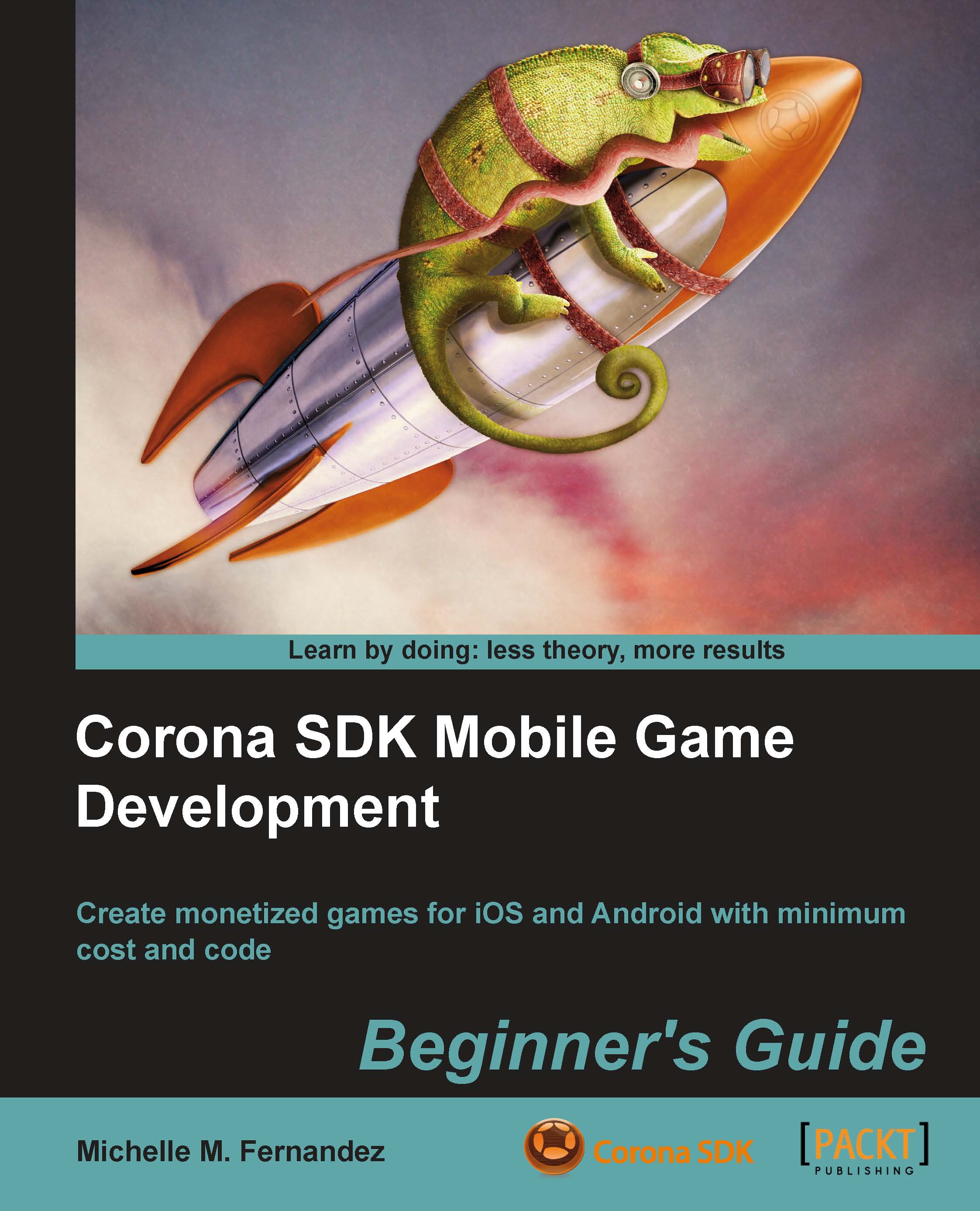
Corona SDK Mobile Game Development: Beginner's Guide
$57.99
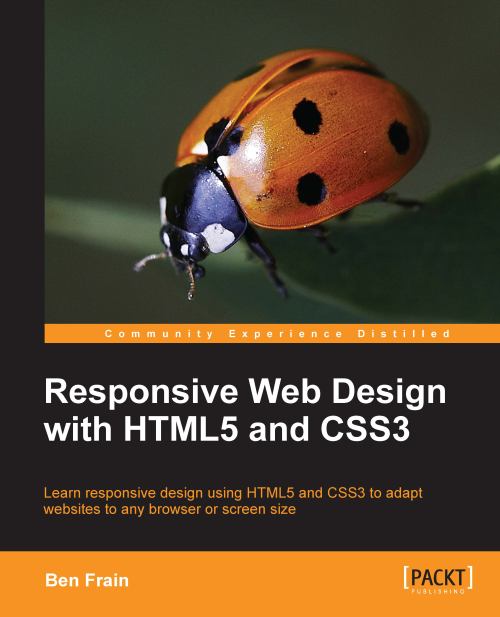
Responsive Web Design with HTML5 and CSS3
$45.99
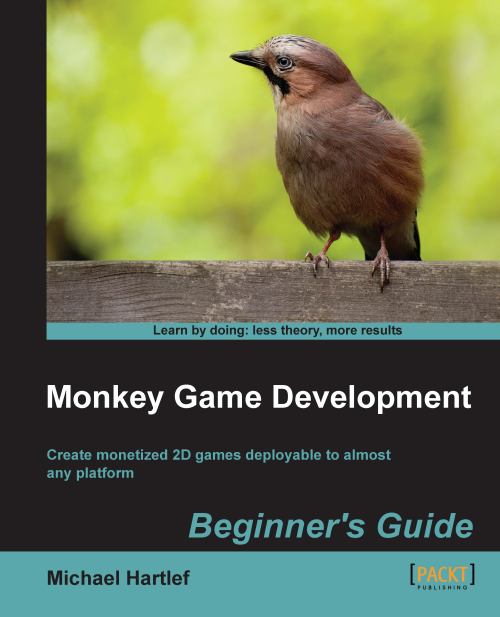
Monkey Game Development: Beginner's Guide
$57.99
Total $ 161.97 Stars icon

Table of Contents

11 Chapters
1. Monkey—Huh? Chevron down icon Chevron up icon
2. Getting to Know your Monkey—a Trip to the Zoo Chevron down icon Chevron up icon
3. Game #2, Rocket Commander Chevron down icon Chevron up icon
3. Game #2, Rocket Commander
The game objects
The basic file structure
Time for action – building the basic file structure of the game
Hold that data—RocketCommander's data structure
Time for action – creating the general data structure of the game
Detailing the Update process
Time for action – detailing the Update process
Detailing the Render process
Time for action – detailing the Render event
Enhancing the OnCreate event
Time for action – detailing the OnCreate process
Let's build some cities
Time for action – building some cities
Time for action – changing the gameClasses file
Time for action – spawning some cities in the game
Time for action – rendering the cities
Get the launchers ready!
Time for action – implementing the rocket launchers
Time for action – changing the gameClasses file again
Time for action – creating some launchers in the game
Time for action – updating the launchers
Time for action – modifying the menu update process
Time for action – rendering the launchers
Fire! Blast them to pieces!
Time for action – implementing some rockets
Time for action – modifying the gameClasses file
Time for action – modifying the launcher class
Time for action – updating the rockets
Time for action – rendering the rockets
And it goes BOOM!... Explosions
Time for action – implementing explosions
Time for action – modifying the gameClasses file
Time for action – modifying the rocket class
Time for action – updating the explosions
Time for action – rendering the explosions
Don't fear the enemy—bombs
Time for action – creating the bomb class
Time for action – modifying the gameClasses file
Time for action – updating the bombs
Time for action – rendering the bombs
Time for action – modifying the UpdateGame method
Displaying the game score
Time for action – displaying the game score
Summary
4. Game #3, CometCrusher Chevron down icon Chevron up icon
4. Game #3, CometCrusher
Using a game framework—the fantomEngine
Game resources
The game objects
The basic file structure
Time for action – create the main source file and its folders
Open the storage please—the data structure of Comet-Crusher
Time for action – creating the data structure
First changes to the OnCreate method
Time for action – modifying the OnCreate method
Detailing the Render process
Time for action – detailing the OnRender method
This is a setup—creating the game objects
Time for action – creating some layers
Time for action – implementing some stars
Time for action – setting up the player ship
Time for action – creating a method to load sounds
Time for action – creating some game info text objects
Time for action – adding a title screen
Time for action – setting up the high score list
Time for action – create a comet
Time for action – creating some comets
Time for action – finalizing the OnCreate method
We need help—more methods for the Update process
Time for action – loading a high score list
Time for action – showing the high score list
Time for action – the ActivateShield method
Time for action – determine the time delta
Time for action – updating the info text
Time for action – creating a StartNewGame method
Time for action – spawning some engine particle FX
Time for action – creating some explosions
Time for action – spawning some shots
Time for action – saving the high score list
Finalizing the OnUpdate method
Time for action – finalizing the OnUpdate method
Bring in the action—shaping the engine class
Time for action – detailing the collision detection
Time for action – detailing the OnObjectTimer method
Time for action – detailing the OnObjectUpdate method
Time for action – detailing the OnLayerUpdate method
One last thing—creating a FLASH game
Summary
5. Game #4, Chain Reaction Chevron down icon Chevron up icon
5. Game #4, Chain Reaction
Modifying the HTML5 canvas size
Time for action – modifying canvas size
Some development basics
Game resources
Game objects
The basic app structure
Time for action – creating the main source file and its folders
The data storage
Time for action – creating the data structure
First changes to the OnCreate event
Time for action – first changes to the OnCreate method
Detailing the OnRender event
Time for action – detailing the OnRender method
Setting up the game objects
Time for action – loading the game sound effects
Time for action – creating layers for the game
Game screen
Time for action – creating buttons
Time for action – creating info text objects
Time for action – composing the game screen
Time for action – creating the title screen
Finalizing the OnCreate event
Time for action – finalizing the OnCreate method
Helper functions for the update process
Time for action – creating collision circles
Time for action – creating the atom elements
Time for action – creating a StartNewGame method
Time for action – implementing the GetDeltaTime method
Time for action – creating a method to update the text information
Detailing the OnUpdate event
Time for action – finalizing the OnUpdate method
Introducing the OnSuspend event
Time for action – modifying the OnSuspend event
Introducing the OnResume event
Time for action – updating the OnResume method
The heart of the game - the engine class
Time for action – enhancing the OnObjectTouch method
Time for action – detailing the OnObjectTransition method
Time for action – acting on timer events
Time for action – detailing the collision detection
Creating an Android app
Summary
6. Game #5, Balls Out! Chevron down icon Chevron up icon
6. Game #5, Balls Out!
Which frameworks and modules are used?
Game resources
Our lovely game objects
The basic app structure
Time for action – creating the basic file structure
Modifying the HTML5 canvas size for testing
Time for action – modifying the HTML5 output
The data storage
Time for action – creating the data structure
First changes to the OnCreate event
Time for action – first changes to the OnCreate method
Detailing the OnRender event
Time for action – detailing the OnRender method
Setting up the game objects
Time for action – loading the game sound effects
Time for action – creating layers for the game
Time for action – creating text buttons
Time for action – composing the game screen
Time for action – creating the title screen
Finalizing the OnCreate event
Time for action – finalizing the OnCreate method
Helper methods for the update process
Time for action – creating the tiles
Time for action – creating the ball
The bad guys—our beloved enemies
Time for action – creating the enemy class
More helper functions
Time for action – spawning an enemy
Time for action – creating a StartNewGame method
Bring me up-to-date—detailing the OnUpdate event
Time for action – detailing the OnUpdate method
Eye candy—particle effects
Time for action – creating the particle emitter class
Time for action – spawning a particle emitter
The heart of the game—the engine class
Time for action – enhancing the OnObjectTouch method
Time for action – acting on object update events
Time for action – acting on layer update events
Time for action – detailing the OnObjectTransition method
Time for action – detailing the collision detection
Creating an iOS app
Summary
7. Game #6, At The Docks Chevron down icon Chevron up icon
8. Game #7, Air Dogs 1942 Chevron down icon Chevron up icon
8. Game #7, Air Dogs 1942
Frameworks and modules used
No silver, no gold, but… our game resources!
The game objects
The basic app structure
Time for action – setting up the basic file structure
Storing data
Time for action – creating the data structure
First changes to the OnCreate event
Time for action – first changes to the OnCreate method
Setting up the game objects
Time for action – loading the game sound effects
Time for action – creating layers for the game
Time for action – composing the background screen
Time for action – creating the clouds
Time for action – creating info text objects
Time for action – creating the title screen
Finalizing the OnCreate event
Time for action – finalizing the OnCreate method
Methods for the update process
Time for action – spawning the player plane
Time for action – spawning an enemy plane
Time for action – creating a StartNewGame method
Detailing the OnUpdate event
Time for action – detailing the OnUpdate method
Making it look nicer—some particle effects
Time for action – emitting the smoke
Time for action – creating the explosion
Time for action – spawning a shot
The brain—Computer AI (Artificial Intelligence)
Time for action – following the player
The heart of the game—the engine class
Time for action – enhancing the OnObjectTimer method
Time for action – detailing the OnObjectTransition method
Time for action – acting on object update events
Time for action – detailing the collision response
Time for action – acting of layer update events
Creating a GLFW app
Summary
9. Game #8, Treasure Chest Chevron down icon Chevron up icon
9. Game #8, Treasure Chest
Frameworks and modules used
Reusing code
The parts of the game... resources
And here they are… the game objects!
Preparation… the basic app and project structure
Time for action – creating the basic file structure
Creating 2D arrays
Time for action – creating 2D arrays
Storing information… the data storage
Time for action – creating the data structure
First changes to the OnCreate event
Time for action – first changes to the OnCreate method
About the OnRender event
Setting up the game objects
Time for action – loading the game sound effects
Time for action – creating layers for the game
Time for action – composing the background screen
Time for action – creating the title screen
Time for action – creating the "game over" screen
The menu please… creating the menu screen
Time for action – creating text buttons
Time for action – creating the menu screen
Time for action – creating the score screen
Time for action – creating the activate layer method
Finalizing the OnCreate event
Time for action – finalizing the OnCreate method
Dealing with the high-score list
Time for action – loading and saving the high-score list
Time for action – showing the high-score list
Managing the tile map
Time for action – getting tile slot IDs
Time for action – setting a tile slot ID
Check/mark the neighboring tiles
Time for action – checking neighboring horizontal tiles
Time for action – check neighboring vertical tiles
Time for action – clearing the tile map
Time for action – counting matching tiles
Time for action – creating a gem
Time for action – refilling the tile map
Methods for the update process
Time for action – creating a StartNewGame method
Time for action – updating the text info
Time for action – showing the "game over" screen
Time for action – showing the menu
Bring me up-to-date—detailing the OnUpdate event
Time for action – detailing the OnUpdate method
Vroom… vroom—the engine class
Eye candy—particle effects
Time for action – spawning an explosion
Time for action – acting on object timer events
Time for action – enhancing the OnObjectTouch method
Time for action – detailing the OnObjectTransition method
Time for action – acting on layer update events
Summary
10. Make Some Money for Bananas Chevron down icon Chevron up icon
Index Chevron down icon Chevron up icon

Customer reviews

Top Reviews
Rating distribution
Full star icon Full star icon Full star icon Full star icon Half star icon 4.5
(8 Ratings)
5 star 50%
4 star 50%
3 star 0%
2 star 0%
1 star 0%
Filter icon Filter
Top Reviews

Filter reviews by


Doug warner Aug 08, 2015
Full star icon Full star icon Full star icon Full star icon Full star icon 5
This is actually a very well written book. I found it very useful. this also seem to be the only book I could find on monkey coding, so it also got that going for it.
Amazon Verified review Amazon
TheGreatestAdventurer Sep 25, 2014
Full star icon Full star icon Full star icon Full star icon Full star icon 5
Great book for beginner programmers. Concentrates on programming simple games so that the student can see their work. Includes step-by-step programming for 8 games. Chapter 10 discusses how to monetize your games. Over all a great book for would be game and app programmers. Monkey X also has a friendly online community. www.monkey-x.com
Amazon Verified review Amazon
P. Robson Mar 30, 2014
Full star icon Full star icon Full star icon Full star icon Full star icon 5
This is a really good book - it is well written, the examples are well thought out, there aren't many errors and most of them are minor. The author has a clue how to program properly (an awful lot of people who write these sorts of books don't) ; it encourages good practice - comments, meaningful names, classes, encapsulation and so on pretty much from the start. Very early on for example it emphasises the importance of putting a proper header on your code files.What it isn't is a beginners guide. It's a beginners guide to Monkey, yes, but if you can't program you will struggle very fast. The introduction is very gentle, shows very basic Hello World examples. The first application (Pong) is followable, just if you aren't a coder. It does use classes and so on but they aren't really intrinsic to the application.The second example, Rocket Commander, explodes in complexity. You create three files with an application class subclassed from an App parent. There's a finite state machine. Things are divided into objects, methods and so on. The explanations of these things are quite good but necessarily brief, otherwise the book would be ten times as long. If you know what these things are, or have some idea, you'll be fine but a beginner to programming would be thrown at this point. What is a class ? What is a finite state machine ? How does this all work ?This isn't a criticism of the book per se - as a way of learning how to code in Monkey it seems, so far, to be really good. It's a worthwhile read for those who can already program in Monkey as well, I think, there seems to be lots of good ideas there. But don't buy it if you don't have some idea how to program, know a little bit about objects and classes and so on.So with that caveat, the book is strongly recommended. As is Monkey :)
Amazon Verified review Amazon
Snader May 09, 2012
Full star icon Full star icon Full star icon Full star icon Full star icon 5
Although I'm am not a beginner at programming for Monkey ([...]), I wanted a book to see some complete programs (simple games) or examples of how these are made from the beginning. This book is great for me. The spare time that I have went mostly in exploring the monkeycoder forums, looking for answers. Now I can easily read this book from beginning to end and I can make everything I want.The author of the book is very active on the monkeycoder forums. So, If you have a question, or something has changed in the newest Monkey versions, he is always willing to help! Great stuff!
Amazon Verified review Amazon
Julio cesar Jun 11, 2012
Full star icon Full star icon Full star icon Full star icon Empty star icon 4
If you want to start as a game developer and get your game in every mobile/not mobile platform with a little effort, this is your book.Here you can get great examples and it's very easy to learn, the language is something like basic, so it's not that hard to code.I don't give it 5 stars because this book teaches you how to use an engine and I would prefer to learn how to make my own, but if this book's objective is to learn make games, then it's achieved.
Amazon Verified review Amazon
Get free access to Packt library with over 7500+ books and video courses for 7 days!
Start Free Trial

FAQs

What is the digital copy I get with my Print order? Chevron down icon Chevron up icon

When you buy any Print edition of our Books, you can redeem (for free) the eBook edition of the Print Book you’ve purchased. This gives you instant access to your book when you make an order via PDF, EPUB or our online Reader experience.

What is the delivery time and cost of print book? Chevron down icon Chevron up icon

Shipping Details

USA:

'

Economy: Delivery to most addresses in the US within 10-15 business days

Premium: Trackable Delivery to most addresses in the US within 3-8 business days

UK:

Economy: Delivery to most addresses in the U.K. within 7-9 business days.
Shipments are not trackable

Premium: Trackable delivery to most addresses in the U.K. within 3-4 business days!
Add one extra business day for deliveries to Northern Ireland and Scottish Highlands and islands

EU:

Premium: Trackable delivery to most EU destinations within 4-9 business days.

Australia:

Economy: Can deliver to P. O. Boxes and private residences.
Trackable service with delivery to addresses in Australia only.
Delivery time ranges from 7-9 business days for VIC and 8-10 business days for Interstate metro
Delivery time is up to 15 business days for remote areas of WA, NT & QLD.

Premium: Delivery to addresses in Australia only
Trackable delivery to most P. O. Boxes and private residences in Australia within 4-5 days based on the distance to a destination following dispatch.

India:

Premium: Delivery to most Indian addresses within 5-6 business days

Rest of the World:

Premium: Countries in the American continent: Trackable delivery to most countries within 4-7 business days

Asia:

Premium: Delivery to most Asian addresses within 5-9 business days

Disclaimer:
All orders received before 5 PM U.K time would start printing from the next business day. So the estimated delivery times start from the next day as well. Orders received after 5 PM U.K time (in our internal systems) on a business day or anytime on the weekend will begin printing the second to next business day. For example, an order placed at 11 AM today will begin printing tomorrow, whereas an order placed at 9 PM tonight will begin printing the day after tomorrow.


Unfortunately, due to several restrictions, we are unable to ship to the following countries:

  1. Afghanistan
  2. American Samoa
  3. Belarus
  4. Brunei Darussalam
  5. Central African Republic
  6. The Democratic Republic of Congo
  7. Eritrea
  8. Guinea-bissau
  9. Iran
  10. Lebanon
  11. Libiya Arab Jamahriya
  12. Somalia
  13. Sudan
  14. Russian Federation
  15. Syrian Arab Republic
  16. Ukraine
  17. Venezuela
What is custom duty/charge? Chevron down icon Chevron up icon

Customs duty are charges levied on goods when they cross international borders. It is a tax that is imposed on imported goods. These duties are charged by special authorities and bodies created by local governments and are meant to protect local industries, economies, and businesses.

Do I have to pay customs charges for the print book order? Chevron down icon Chevron up icon

The orders shipped to the countries that are listed under EU27 will not bear custom charges. They are paid by Packt as part of the order.

List of EU27 countries: www.gov.uk/eu-eea:

A custom duty or localized taxes may be applicable on the shipment and would be charged by the recipient country outside of the EU27 which should be paid by the customer and these duties are not included in the shipping charges been charged on the order.

How do I know my custom duty charges? Chevron down icon Chevron up icon

The amount of duty payable varies greatly depending on the imported goods, the country of origin and several other factors like the total invoice amount or dimensions like weight, and other such criteria applicable in your country.

For example:

  • If you live in Mexico, and the declared value of your ordered items is over $ 50, for you to receive a package, you will have to pay additional import tax of 19% which will be $ 9.50 to the courier service.
  • Whereas if you live in Turkey, and the declared value of your ordered items is over € 22, for you to receive a package, you will have to pay additional import tax of 18% which will be € 3.96 to the courier service.
How can I cancel my order? Chevron down icon Chevron up icon

Cancellation Policy for Published Printed Books:

You can cancel any order within 1 hour of placing the order. Simply contact customercare@packt.com with your order details or payment transaction id. If your order has already started the shipment process, we will do our best to stop it. However, if it is already on the way to you then when you receive it, you can contact us at customercare@packt.com using the returns and refund process.

Please understand that Packt Publishing cannot provide refunds or cancel any order except for the cases described in our Return Policy (i.e. Packt Publishing agrees to replace your printed book because it arrives damaged or material defect in book), Packt Publishing will not accept returns.

What is your returns and refunds policy? Chevron down icon Chevron up icon

Return Policy:

We want you to be happy with your purchase from Packtpub.com. We will not hassle you with returning print books to us. If the print book you receive from us is incorrect, damaged, doesn't work or is unacceptably late, please contact Customer Relations Team on customercare@packt.com with the order number and issue details as explained below:

  1. If you ordered (eBook, Video or Print Book) incorrectly or accidentally, please contact Customer Relations Team on customercare@packt.com within one hour of placing the order and we will replace/refund you the item cost.
  2. Sadly, if your eBook or Video file is faulty or a fault occurs during the eBook or Video being made available to you, i.e. during download then you should contact Customer Relations Team within 14 days of purchase on customercare@packt.com who will be able to resolve this issue for you.
  3. You will have a choice of replacement or refund of the problem items.(damaged, defective or incorrect)
  4. Once Customer Care Team confirms that you will be refunded, you should receive the refund within 10 to 12 working days.
  5. If you are only requesting a refund of one book from a multiple order, then we will refund you the appropriate single item.
  6. Where the items were shipped under a free shipping offer, there will be no shipping costs to refund.

On the off chance your printed book arrives damaged, with book material defect, contact our Customer Relation Team on customercare@packt.com within 14 days of receipt of the book with appropriate evidence of damage and we will work with you to secure a replacement copy, if necessary. Please note that each printed book you order from us is individually made by Packt's professional book-printing partner which is on a print-on-demand basis.

What tax is charged? Chevron down icon Chevron up icon

Currently, no tax is charged on the purchase of any print book (subject to change based on the laws and regulations). A localized VAT fee is charged only to our European and UK customers on eBooks, Video and subscriptions that they buy. GST is charged to Indian customers for eBooks and video purchases.

What payment methods can I use? Chevron down icon Chevron up icon

You can pay with the following card types:

  1. Visa Debit
  2. Visa Credit
  3. MasterCard
  4. PayPal
What is the delivery time and cost of print books? Chevron down icon Chevron up icon

Shipping Details

USA:

'

Economy: Delivery to most addresses in the US within 10-15 business days

Premium: Trackable Delivery to most addresses in the US within 3-8 business days

UK:

Economy: Delivery to most addresses in the U.K. within 7-9 business days.
Shipments are not trackable

Premium: Trackable delivery to most addresses in the U.K. within 3-4 business days!
Add one extra business day for deliveries to Northern Ireland and Scottish Highlands and islands

EU:

Premium: Trackable delivery to most EU destinations within 4-9 business days.

Australia:

Economy: Can deliver to P. O. Boxes and private residences.
Trackable service with delivery to addresses in Australia only.
Delivery time ranges from 7-9 business days for VIC and 8-10 business days for Interstate metro
Delivery time is up to 15 business days for remote areas of WA, NT & QLD.

Premium: Delivery to addresses in Australia only
Trackable delivery to most P. O. Boxes and private residences in Australia within 4-5 days based on the distance to a destination following dispatch.

India:

Premium: Delivery to most Indian addresses within 5-6 business days

Rest of the World:

Premium: Countries in the American continent: Trackable delivery to most countries within 4-7 business days

Asia:

Premium: Delivery to most Asian addresses within 5-9 business days

Disclaimer:
All orders received before 5 PM U.K time would start printing from the next business day. So the estimated delivery times start from the next day as well. Orders received after 5 PM U.K time (in our internal systems) on a business day or anytime on the weekend will begin printing the second to next business day. For example, an order placed at 11 AM today will begin printing tomorrow, whereas an order placed at 9 PM tonight will begin printing the day after tomorrow.


Unfortunately, due to several restrictions, we are unable to ship to the following countries:

  1. Afghanistan
  2. American Samoa
  3. Belarus
  4. Brunei Darussalam
  5. Central African Republic
  6. The Democratic Republic of Congo
  7. Eritrea
  8. Guinea-bissau
  9. Iran
  10. Lebanon
  11. Libiya Arab Jamahriya
  12. Somalia
  13. Sudan
  14. Russian Federation
  15. Syrian Arab Republic
  16. Ukraine
  17. Venezuela
Modal Close icon
Modal Close icon